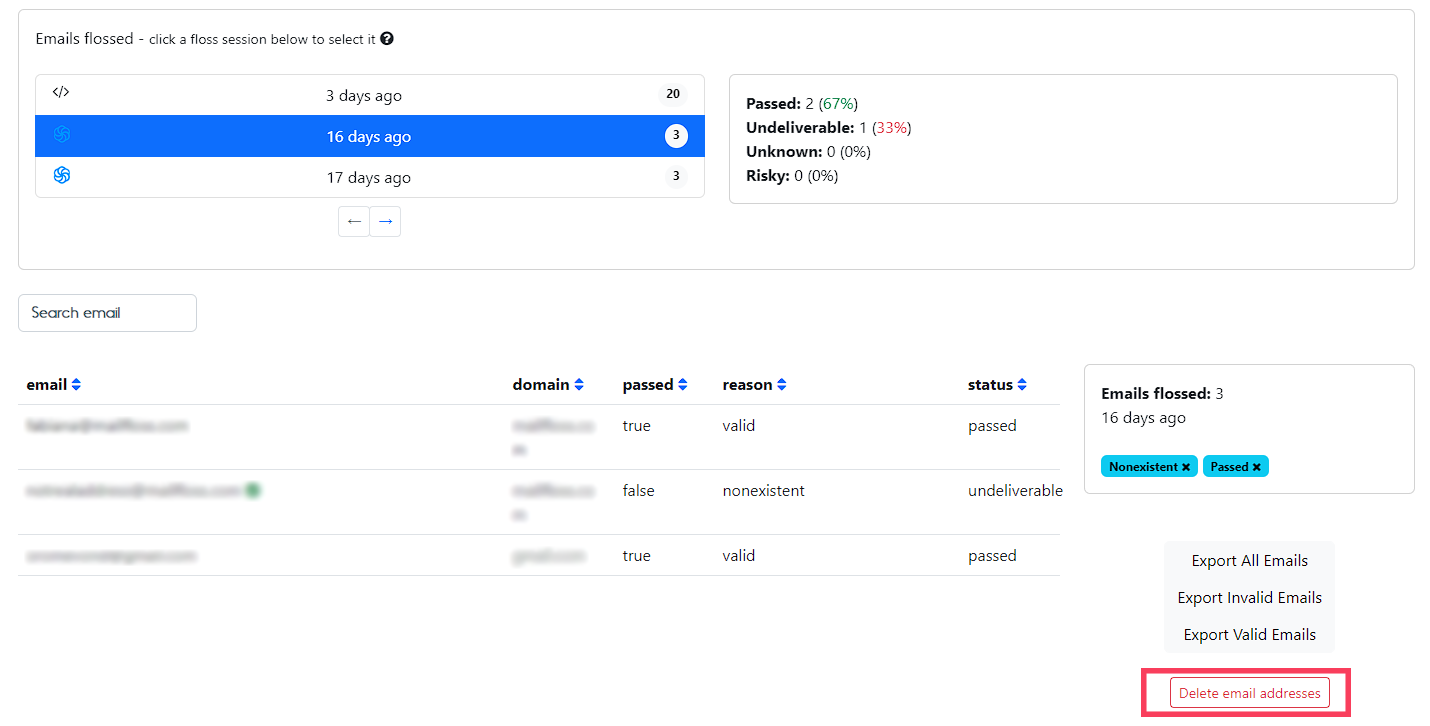
1. From your mailfloss dashboard, scroll down to the details of your flossing sessions
Select the session you want to get empty and click on "Delete email addresses"
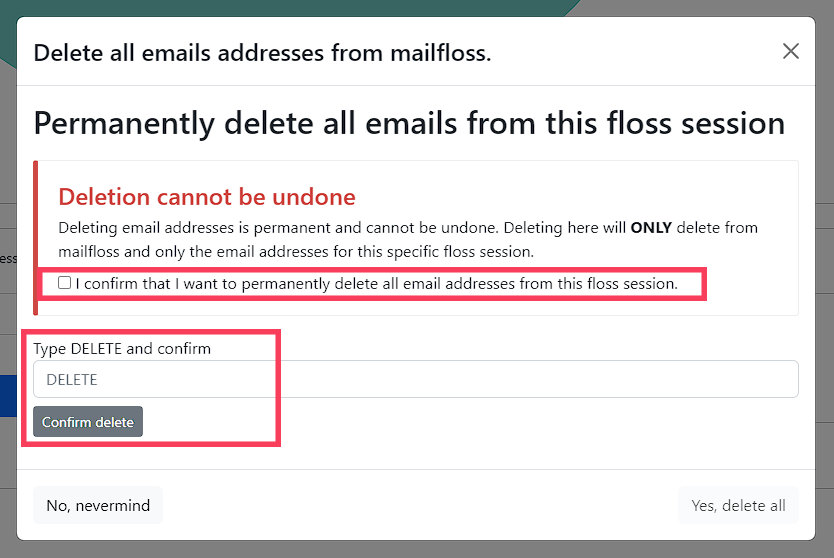
2. Click the checkbox confirming you want to permanently delete all the email addresses for the selected session
Then, type in "DELETE" in the required field and click on "Confirm delete"
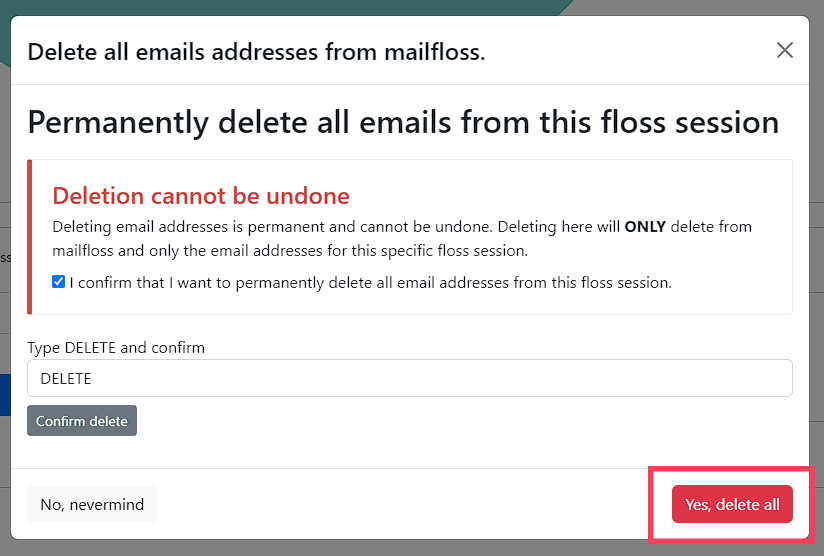
3. Once you've finished with the previous steps, you will be able to click the "Yes, delete all" button